

Customers
The customers section is where you manage your customer base. You can add customers one-by-one or import them in bulk via CSV. Clicking View on any row opens the customer's full subscription history.
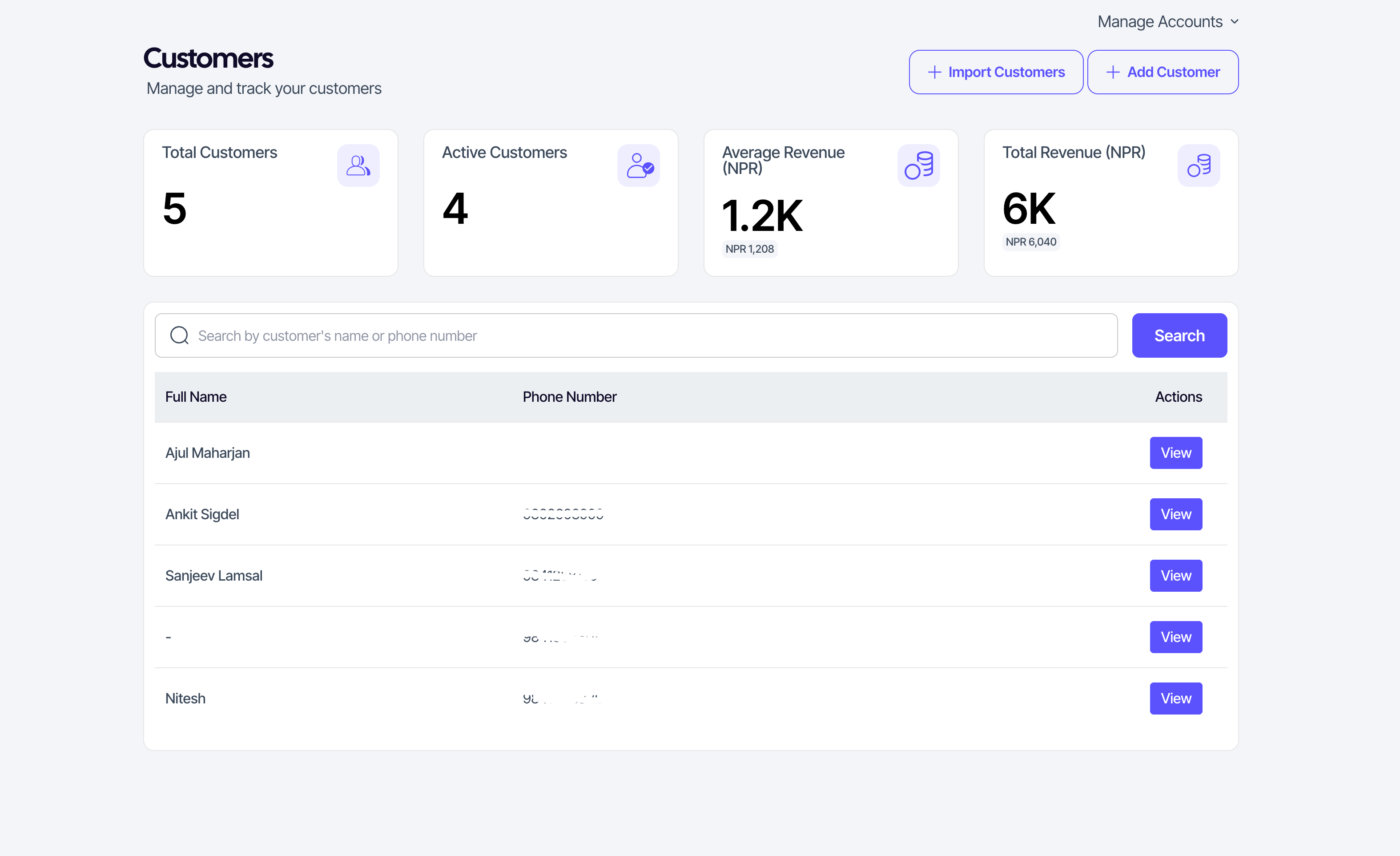
The list and stats row
The top of the page shows four numbers:
- Total customers — every customer on your account.
- Active customers — customers with at least one active subscription.
- Average revenue — average revenue per customer in NPR.
- Total revenue — sum of successful payments in NPR.
Below that is the customer list with search and pagination. Search by name or phone number.
Adding a customer
Adding a customer opens its own dedicated page (not a modal).
- Click Add customer in the top-right to open the Add Customer page.
- Enter the customer's name and phone number.
- Pick a product, then a plan from that product.
- Click Save.
The customer is added with an inactive subscription which you have to manually record to activate or the user has to pay through our system. You can skip product and plan selection which will create a customer without an any subscription.
Importing customers in bulk
If you have an existing spreadsheet of customers, you can import them all at once using a CSV file. Importing also opens its own dedicated page.
- Click Import Customers in the top-right to open the Import Customers page.
- On the page, click Example CSV to download a template. Your file must match this format (Full Name, Phone Number).
- Drag and drop your prepared CSV into the upload area.
- Optional: To assign all imported customers to a specific plan immediately, select a Product, Plan, and Billing Cycle in the dropdowns below the upload area.
- Click Import.
SUQO will process the file and provide a summary of how many customers were successfully imported and if any were skipped due to formatting errors.
Customer rows
Each row in the list shows the customer's name and phone number, plus quick actions:
- View — opens the full customer detail page (see Customer details).
Searching and pagination
- The search box filters by name or phone in real time.
- The list is paginated. Page controls are at the bottom.