

KYC verification
Know Your Customer (KYC) verification is a regulatory requirement for sellers in Nepal. KYC is mandatory only to collect payments — you can log in and use the rest of the dashboard without it, but you must be verified before you can accept payments from customers.
What works before KYC — and what doesn't
You don't have to complete KYC to start setting up. Before verification:
- Fully accessible: Log in, explore the whole dashboard, create products and plans, add customers, and configure your settings — none of it is gated by KYC.
- Blocked until verified: Only payment-related actions. You cannot collect payments from customers or request a payout until your KYC is verified.
Want to try a payment while you wait? Switch on Test mode — it does not require KYC, so you can walk a full checkout end to end against practice data. Nothing is charged, and nothing there carries over to Live.
Form fields & requirements
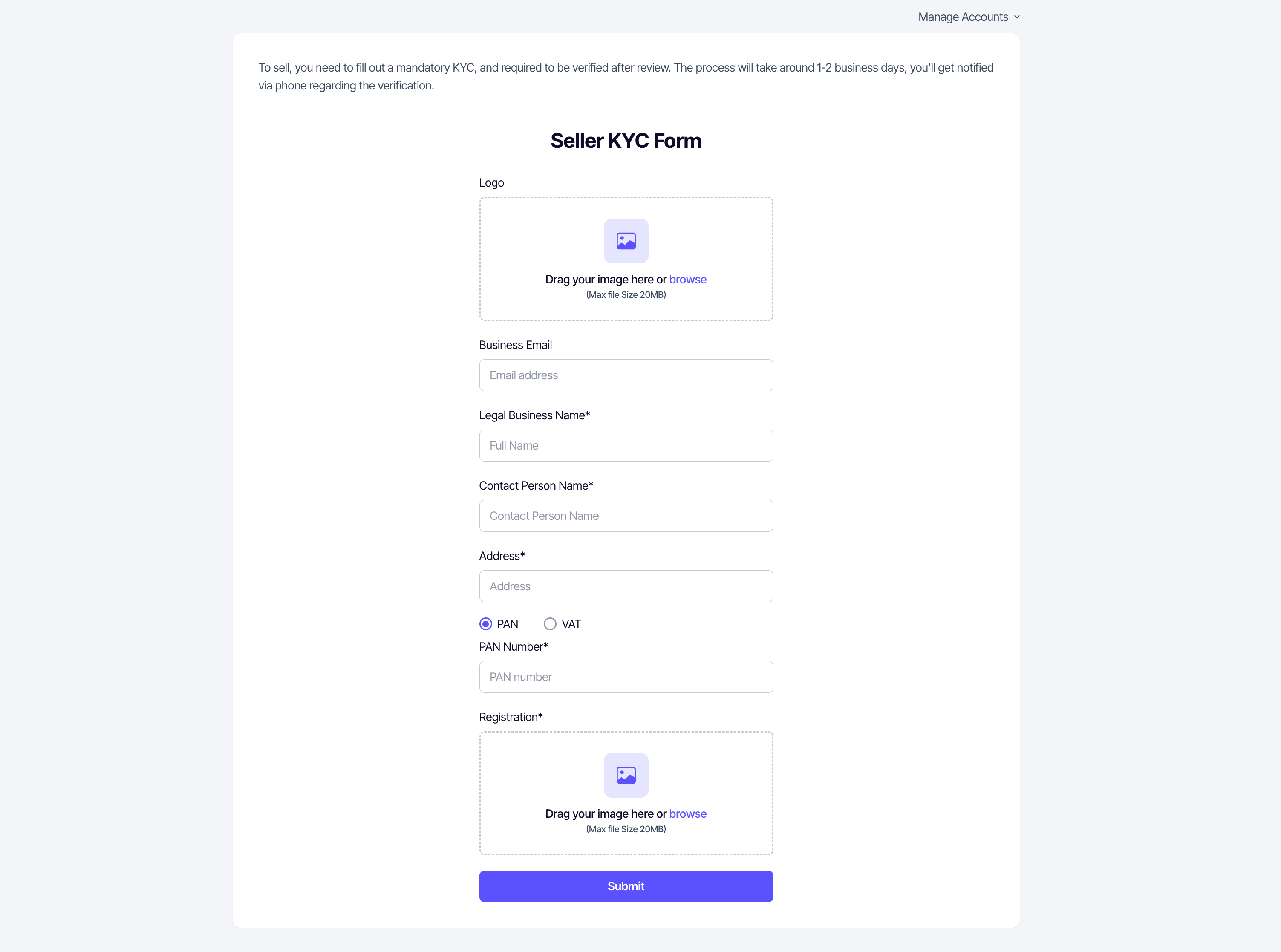
The KYC form requires the following details. Ensure all information matches your official documents to avoid rejection.
| Field | Required | Notes |
|---|---|---|
| Business logo | Optional | Image file (PNG/JPG), max 20 MB. |
| Business Email | Optional | Validated for format if provided. |
| Legal Business Name | Yes | Matches your registration certificate. |
| Contact Person Name | Yes | The person responsible for the account. |
| Business Address | Yes | Uses autocomplete for accuracy. |
| Tax Type | Yes | Choose between PAN or VAT. |
| PAN/VAT Number | Yes | Must be a valid 9-digit number. |
| Registration Document | Yes | Clear scan/photo of your business certificate. Max 20 MB. |
The verification process
- Log in to your seller account and navigate to the KYC form.
- Fill in the required business details accurately.
- Upload clear photos or scans of the required documents.
- Submit the form for review.
Review timeline
Our team typically reviews KYC submissions within 1-2 business days. You'll get a text message on your phone once the review is done; payment collection unlocks as soon as you're verified.
| Status | Meaning |
|---|---|
| Pending | Your documents are under review. |
| Verified | You are all set! You can now collect payments. |
| Re-Verification Required | There was an issue with your documents. Check the reason provided and resubmit. |