
Business profile
Your business profile is the public face of your account — it's what customers see on receipts, product pages, and email reminders. Get this right before sharing any product links.
Fields
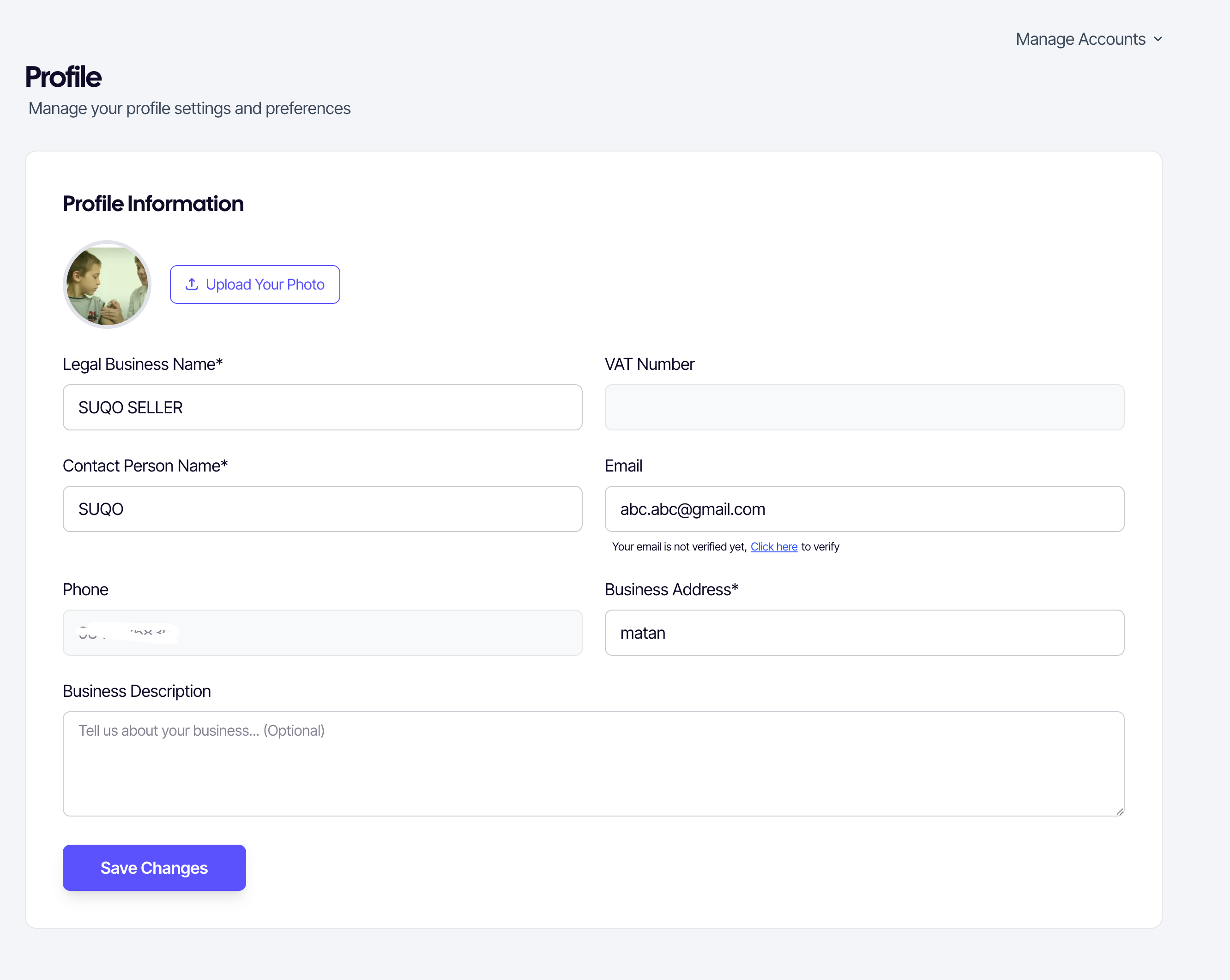
| Field | Editable | Notes |
|---|---|---|
| Business logo | Yes | Image only, max 5 MB. Shown on product pages and receipts. |
| Legal business name | Yes | Required. Appears on receipts and public pages. |
| Tax ID (PAN/VAT) | No | Read-only. Label changes based on your tax type. |
| Contact person name | Yes | Required. Used in customer communications. |
| Email address | Yes | Optional. If changed, a new verification link is sent. |
| Business phone | No | Fixed to your registration phone number. |
| Business address | Yes | Required. Shown on receipts. |
| Description | Yes | Optional multi-line text for your public page. |
Uploading a logo
- Click Upload Your Photo (or the existing logo) to open the file picker.
- Select an image (PNG or JPG). Max 20 MB.
- SUQO shows a preview. If you're happy with it, click Save Changes.
To remove a newly selected logo before saving, click the X (Remove) button on the preview.
Verifying your email
If you add or change your email address, SUQO sends a verification link. The profile page shows a verification link next to the field if it's unverified. Click the link to open the verification modal and follow the instructions.
Saving changes
Every editable field has an inline error if it's invalid. Click Save Changes at the bottom to apply. Read-only fields (tax ID (PAN/VAT), phone) are locked and cannot be modified.
Tip: Customers identify you by the legal business name on their receipts. Use the same name you use on official documents to avoid confusion.