
Payment success
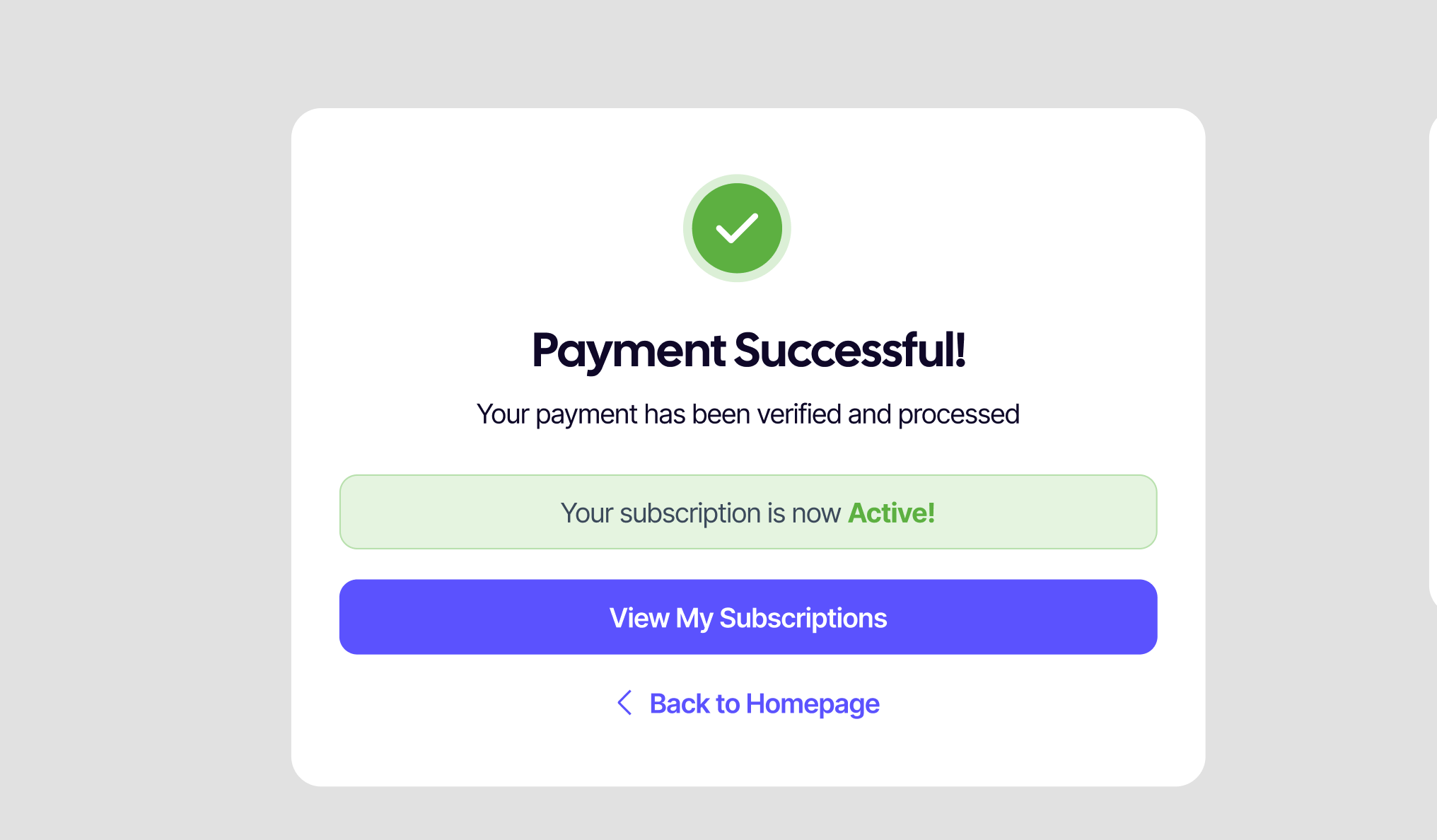
After your wallet confirms a payment, SUQO shows the success page. It verifies the payment with the wallet's reference and updates your subscription on the spot.
What you see
- A confirmation message with the subscription you just paid for.
- The amount paid in NPR.
- A button to your dashboard (if logged in) or back to the seller's product page (if you paid as a guest).
What's happening behind the scenes
- Wallet sends SUQO a verification token (or PIDX) confirming the payment.
- SUQO checks the token, marks the transaction Completed, and updates the subscription's next billing date.
- The transaction appears under My transactions within seconds.
- The seller's dashboard updates to count the new payment.
Receipt
The success page lets you download a receipt right away. You can also re-download it any time from My transactions using the row's download button.
If you paid as a guest
SUQO clears the temporary guest session after the success page. Next time you log in with the same phone number, you'll see the subscription under your account.
Refresh-safe: Refreshing or reopening the success URL doesn't double-charge. SUQO uses the wallet's reference to verify; once verified, repeated visits just re-show the confirmation.