

My transactions
A complete record of every payment you've made through SUQO. Filter by status, plan, or date range; download receipts for any successful payment.
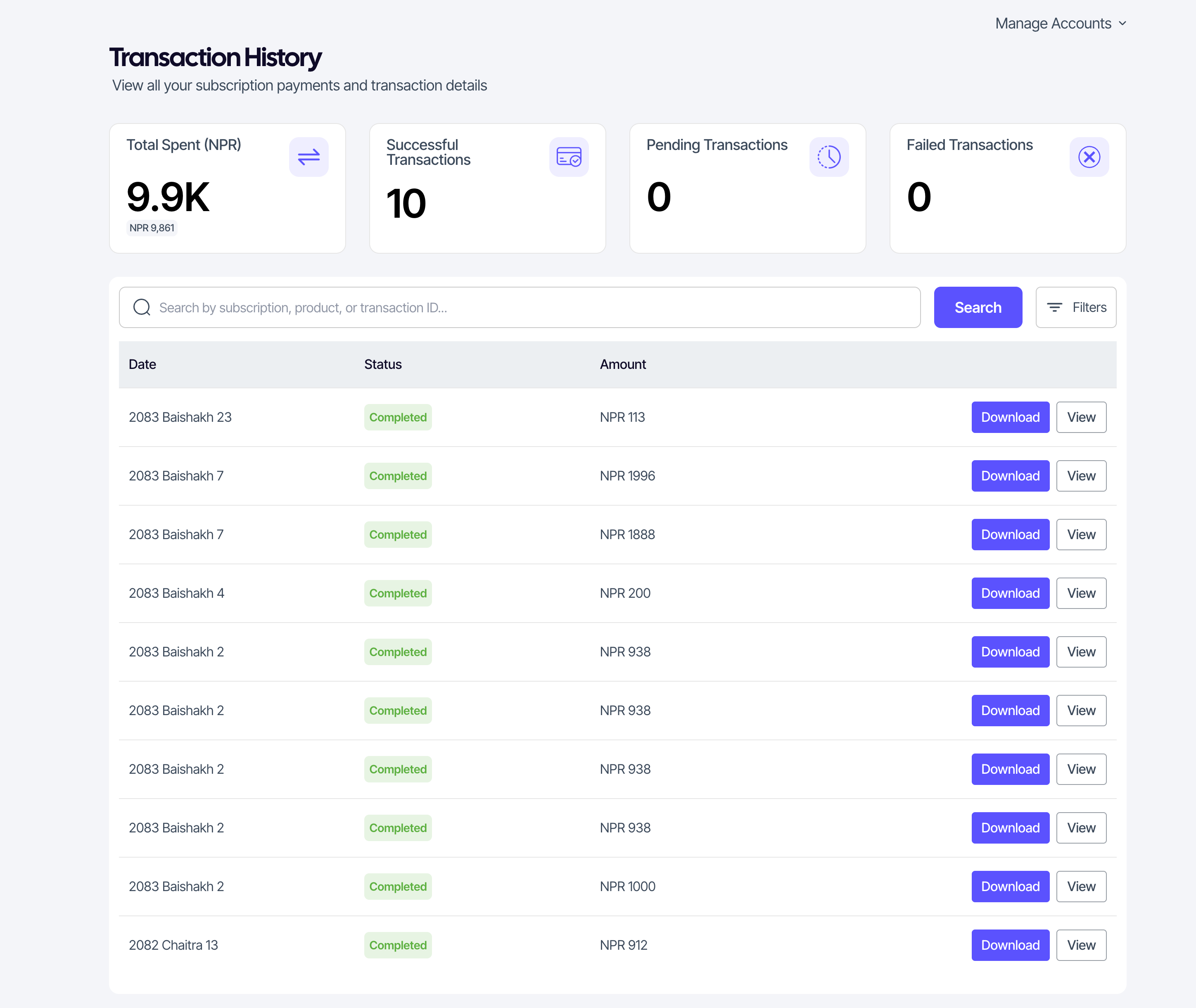
The analytics row
- Total paid — successful payments across all sellers, in NPR.
- Successful — count of completed transactions.
- Pending — count of in-progress transactions.
- Failed — count of failed transactions.
Searching and filtering
- Search by subscription, business, or transaction ID.
- Status — completed, pending, failed.
- Subscription plan — show only payments for one plan.
- Date range — pick a BS date range from the calendar.
Columns in the list
| Column | Notes |
|---|---|
| Subscription | Plan name. Click to open the subscription detail. |
| Business | The seller you paid. |
| Date | BS by default; AD shown alongside. |
| Status | Coloured badge — Completed, Pending, Failed. |
| Amount | NPR. |
| Actions | Download receipt · View details |
Transaction details
Click View on a row to see the full breakdown — reference ID, amount, date, payment method, subscription, plan, billing frequency, status. Useful when you need a specific reference for tax or expense reporting.
Receipts
The Download receipt button generates a PDF receipt for that transaction. Receipts include the seller's name, address, and tax ID, plus the payment details.
Tip: Pending transactions usually move to Completed within minutes. If one has been pending for hours, contact the seller — they can verify on their side or escalate to SUQO support.