

Dashboard
The seller dashboard — titled Overview in the app — is your at-a-glance health check: four key numbers and three quick actions. It's the first screen you see after logging in as a seller.
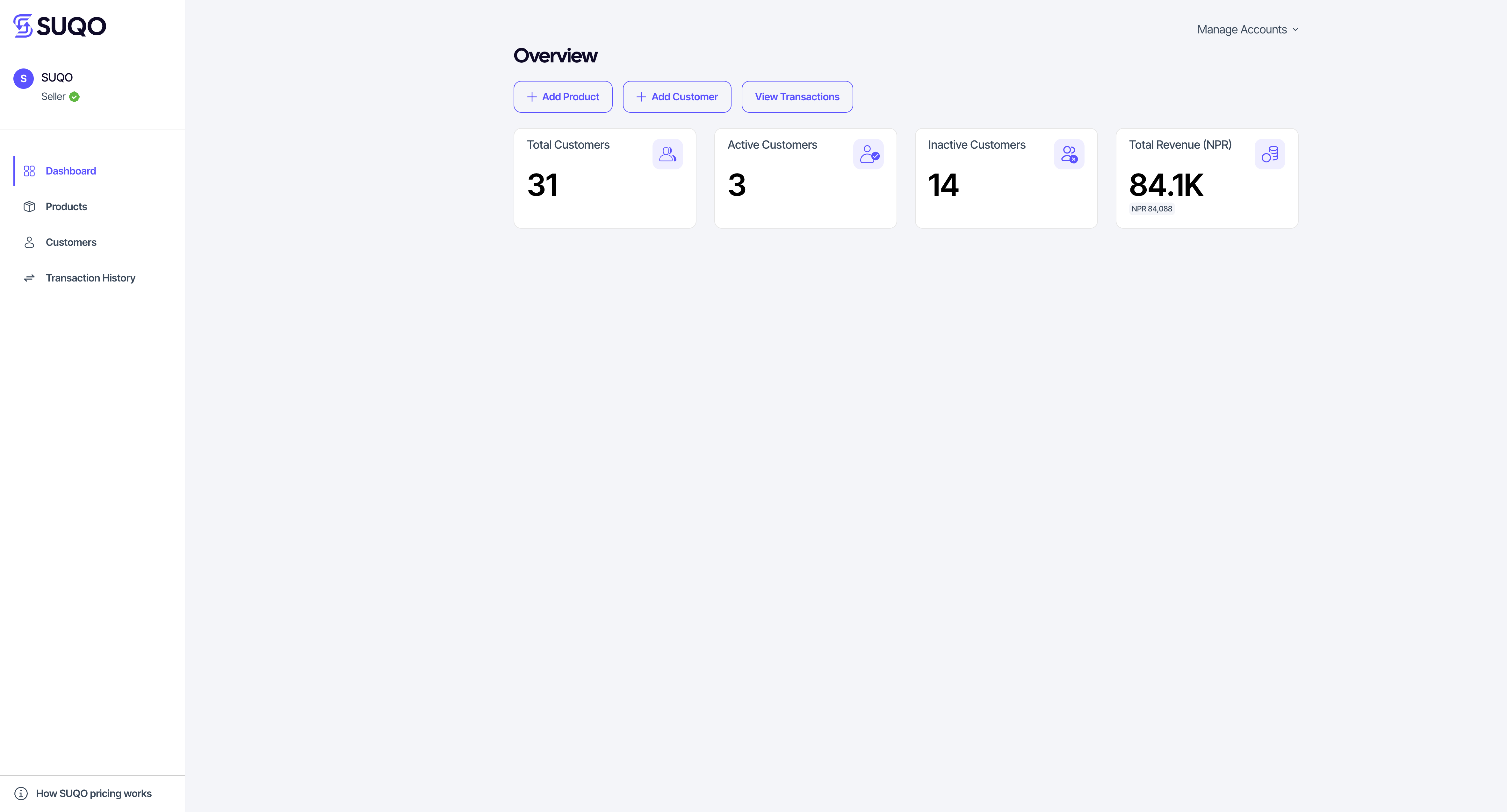
The four metric cards
| Metric | What it means |
|---|---|
| Total customers | Every customer record on your account, regardless of subscription status. |
| Active customers | Customers with at least one currently active subscription. |
| Inactive customers | Customers with no active subscription right now (cancelled, in grace period, or never resubscribed). |
| Total revenue | Sum of successful payments across all customers, in NPR. |
Numbers are cached — you may need to refresh the page to see the latest data.
Quick actions
Three buttons at the top of the dashboard let you jump straight to the most common tasks:
- Add product — opens the new-product form. See Products & plans.
- Add customer — opens the new-customer form. See Customers.
- View transactions — jumps to the full transactions list. See Transactions.
What if all numbers are zero?
That means you haven't added a product or customer yet. Start with Products & plans, then add customers under Customers.
Note: Revenue includes only successful payments. Pending and failed transactions are excluded — see them under Transactions using the status filter. To withdraw your collected revenue to a bank account, use Payout.