

My profile
Your profile is the contact info used on receipts and reminders. Keeping it accurate makes sure your name appears correctly on payment records and that reminders reach you.
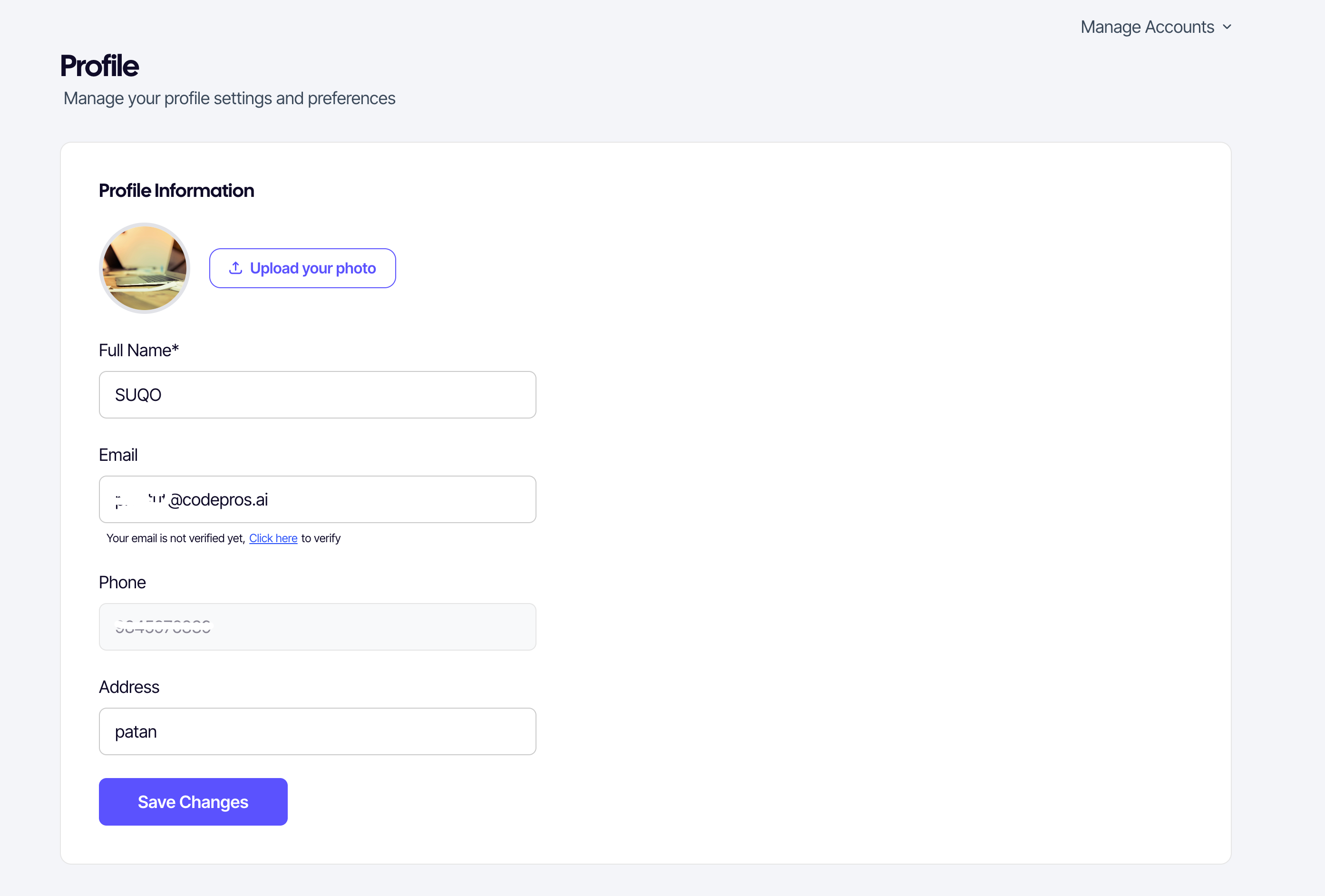
Fields
| Field | Notes |
|---|---|
| Profile photo | Optional. Image only. Click the avatar to upload. |
| Full name | Used on receipts. |
| Email address | Optional. If set, a verification link is sent to confirm. |
| Phone | Read-only — the number you registered with. Used for reminders and login. |
| Date of birth | Optional. |
| Address | Used by sellers who deliver physical goods. |
Updating a field
- Open My profile from the buyer menu.
- Edit the fields you want to change.
- Click Save changes.
Verifying your email
If you add an email, SUQO sends a one-time verification link. The profile shows Verified or Unverified next to the email field. You can resend the link if it expires before you click it.
Photo upload
Click your avatar to open the file picker. SUQO previews the image before saving. To remove the photo, click Remove beside the avatar then save.
Phone changes: The phone number is fixed because it's also your login. If you genuinely need to change it (lost SIM, new number), contact SUQO support.