

Making payments
SUQO allows four means of payment eSewa, Khalti, ConnectIPS, Mobile Banking (Mobile banking & ConnectIPS are through Khalti) to complete payment. It first sends to respective Payment Service Providers Web Checkout, then waits for the their confirmation. The whole flow takes under a minute on a stable connection.
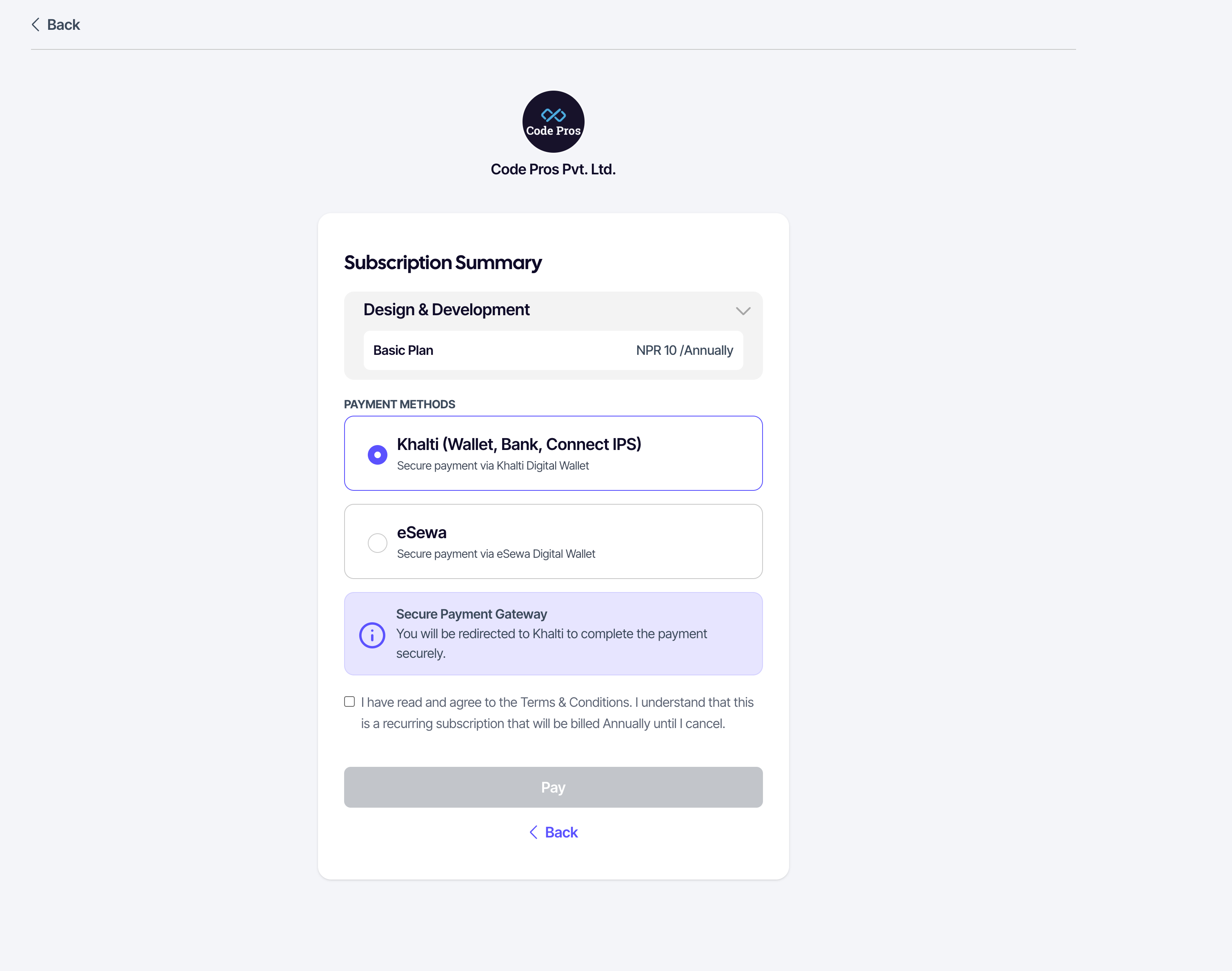
Choosing a payment method
The checkout page lists every wallet the seller has enabled. Pick the one you have an account with.
- eSewa
- Khalti Wallet
- ConnectIPS (through Khalti)
- Mobile Banking (through Khalti)
Completing payment
- Click Pay. SUQO redirects you to the wallet's secure page.
- Log in to the wallet (or use the wallet's app prompt).
- Confirm the amount.
- The wallet returns you to SUQO.
SUQO checks the payment status and shows either the success or failure page (see Payment success and Payment failure).
If the page hangs after the wallet
If the browser sits on a loading screen for more than a minute after returning from the wallet, refresh the page. SUQO uses a server-side reference, so refreshing won't double-charge you — it just re-checks the status.
If a payment fails
The failure page explains what happened (insufficient balance, wallet timeout, cancellation). You can retry from the same page or pick a different wallet. No charge is recorded for failed attempts.
Where the money goes
Your payment goes directly to the seller's wallet account. SUQO records the transaction so it appears on both sides — your My transactions and the seller's transaction list.